
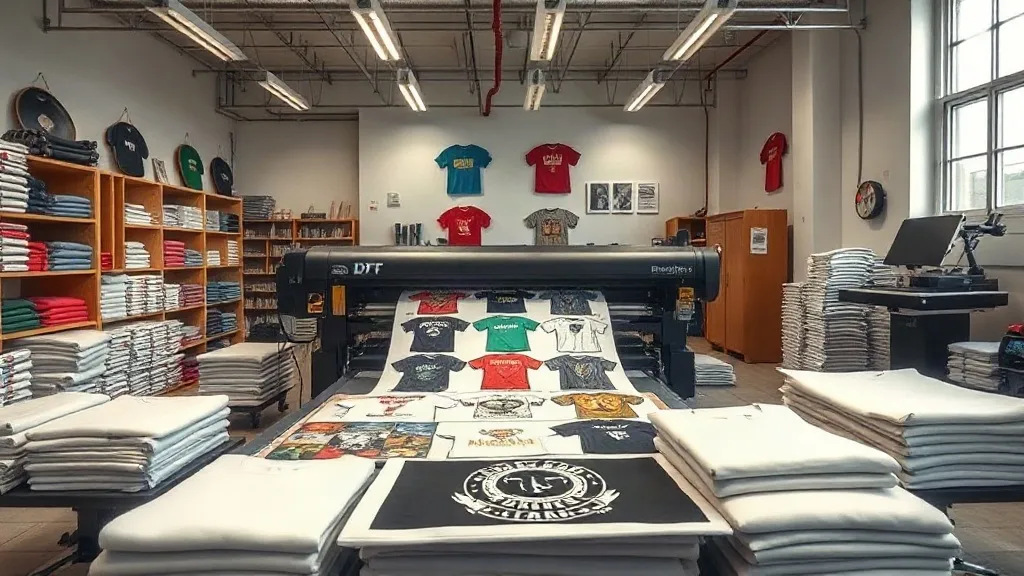
Running a print shop means juggling dozens of orders, each with its own deadline, fabric type, and design complexity. In the middle of that chaos, efficiency is the difference between a profitable week and a frantic one. One tool that often flies under the radar is the DTF Gangsheet. If you're not using gangsheets yet, you're leaving money on the table. This guide will walk you through what they are, why they matter, and how to make them work for your shop.
What Exactly Is a DTF Gangsheet?
In simple terms, a DTF gangsheet is a single sheet of transfer film that holds multiple designs, all printed at once. Instead of running each job separately, you arrange several designs on one large sheet, print them together, and then cut them apart after transfer. It's like carpooling for your prints: fewer trips, less fuel, same destination.
The concept isn't new in printing, but with DTF (Direct-to-Film) technology, it's become a game-changer for small and medium shops. You can fill every inch of that sheet with different logos, sizes, and even different clients' orders, maximizing your material usage and minimizing waste.
Why Gangsheets Matter for Your Bottom Line
Let's talk numbers. Every time you load a new sheet, you spend time, powder, and film. By grouping jobs, you cut down on setup time and material waste. For example, a shop that runs ten small orders separately might use ten sheets; with a gangsheet, those same orders could fit on two or three sheets. That's a huge savings in consumables and labor.
But the benefits go beyond direct costs. Faster turnaround means happier customers, and happy customers come back. In a market where everyone is competing on price, speed and reliability can be your differentiator.
How to Build an Efficient Gangsheet
Creating a gangsheet isn't just about cramming as many designs as possible. It requires planning and a bit of strategy. Here's how to do it right.
1. Group by Similar Ink Coverage
Designs with heavy ink coverage need more powder and cure time. Mixing light and heavy coverage on the same sheet can lead to under- or over-curing. Try to group designs with similar ink loads to keep quality consistent.
2. Mind the Gaps
Leave a small margin between designs to make cutting easier and avoid accidental peeling. A 2-3mm gap is usually enough. Also, consider the cut lines: if you're using a cutter, align designs to minimize waste.
3. Use Nesting Software
Many RIP software options include nesting tools that automatically arrange designs for optimal material usage. If you're doing this manually, you're likely wasting time and film. Invest in software that does the heavy lifting.
4. Standardize Sheet Sizes
Stick to a few standard sheet sizes that fit your printer and cutter. This simplifies planning and reduces the need for custom setups. For instance, a 22x24 inch sheet is common and fits many popular heat press sizes.
Common Mistakes to Avoid
Even experienced shops stumble with gangsheets. Here are pitfalls to watch for.
- Overcrowding: Cramming too many designs can lead to cutting errors and wasted film. Leave breathing room.
- Ignoring fabric types: Different fabrics may require different transfer settings. Grouping by fabric can streamline production.
- Forgetting about grain direction: If your designs have text or directional elements, ensure they align correctly on the sheet.
Real-World Example: A Small Shop's Turnaround
Take a shop in Austin that specializes in custom team jerseys. They used to print each jersey separately, averaging 15 minutes per order. After switching to gangsheets, they batch ten jerseys on one sheet, cutting production time to 5 minutes per jersey. That's a 66% time savings, allowing them to take on more orders without hiring extra staff.
Integrating Gangsheets into Your Workflow
To make gangsheets a seamless part of your operation, consider these steps:
- Plan ahead: Collect orders and schedule gangsheet runs at least twice a week.
- Use a job board: Track which designs are ready and group them by similar characteristics.
- Train your team: Ensure everyone knows how to arrange and handle gangsheets properly.
- Monitor results: Keep an eye on waste, turnaround time, and customer feedback to refine your process.
Frequently Asked Questions
Can I mix different fabric types on one gangsheet?
It's not recommended because different fabrics may require different pressing temperatures and times. However, if you're using the same settings for all, you can mix them. Just test first.
How do I handle small orders that don't fill a sheet?
Combine multiple small orders from different customers on one sheet. Just ensure you have a system to track which design belongs to whom.
What's the maximum size for a gangsheet?
It depends on your printer's maximum print width and the film size you use. Common sizes are 13x19 inches, 22x24 inches, and 24x36 inches. Check your printer's specs.
Do gangsheets work with all DTF printers?
Yes, as long as your printer can handle the sheet size and your RIP software supports gangsheet layout. Most modern DTF printers do.
How do I price gangsheet jobs?
Price based on the total square inches of the sheet, not per design. This encourages efficient use and keeps pricing simple for customers.
Embracing gangsheets is a smart move for any print shop looking to scale. It's not just about saving money; it's about working smarter. Give it a try, and watch your efficiency soar.