
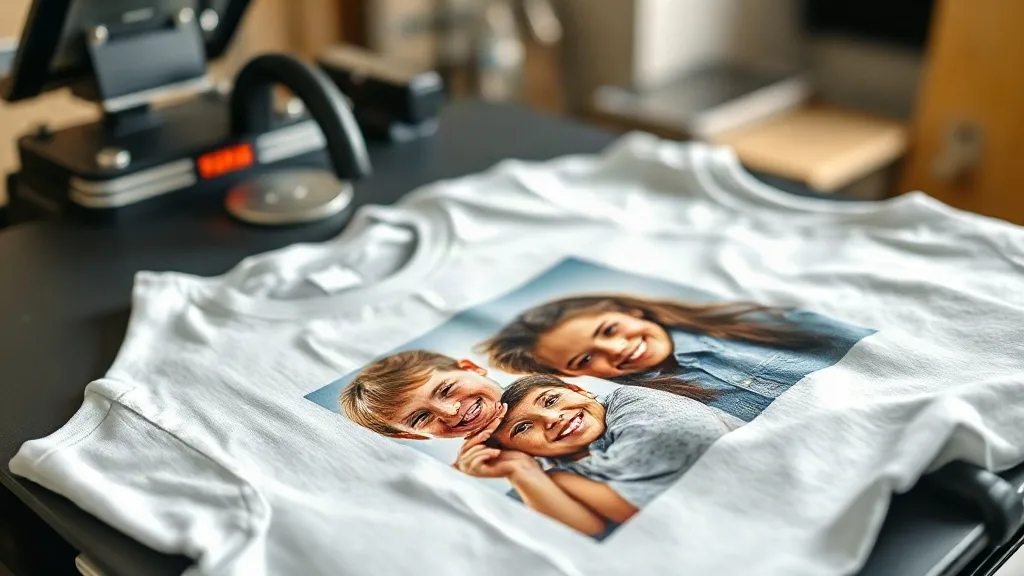
Every print shop owner knows the feeling: a customer walks in with a phone full of blurry vacation photos and asks, “Can you put this on a shirt?” Most shops either turn them away or slap on a low price just to get the job done. But what if those same photos could become your most profitable product line? With dtf transfers, you can turn amateur snapshots into premium apparel that customers happily pay a premium for. The key is knowing how to handle the files, set the right price, and market the service as a memory-making experience rather than a cheap print job.
Why Customer Photos Are a Goldmine for DTF Transfers
People don’t just want a shirt; they want a story. A family reunion, a pet’s birthday, a first day of school, a bachelor party in Vegas—these moments are priceless to the people who lived them. When you offer to print those memories onto a soft, durable garment using dtf technology, you’re not selling ink on fabric. You’re selling a keepsake. That emotional connection gives you room to charge more than you would for a generic design.
Unlike screen printing, DTF doesn’t require color separations or minimum orders. You can print a single photo on a single shirt and still make money. That flexibility means you can say yes to the one-off memory jobs that other shops reject, and you can do it without sacrificing quality. The result is a new revenue stream that costs you almost nothing to add if you already have a DTF setup.
The Technical Side: Getting Photos Print-Ready
Customer photos are rarely perfect. They’re often low-resolution, poorly lit, or filled with background clutter. Your job is to bridge the gap between what the customer sees on their phone and what looks good on a shirt. Here’s how to do it without driving yourself crazy.
1. Set Clear File Requirements Upfront
Prevent problems before they start by telling customers exactly what you need. A simple checklist on your website or order form can save hours of back-and-forth. Ask for:
- High-resolution images (at least 300 DPI at print size)
- Original files, not screenshots or social media downloads
- Good lighting and minimal shadows
- A clear focal point (faces, logos, or objects)
When customers know the rules, they’re more likely to deliver usable files. And when they don’t, you have a legitimate reason to charge a cleanup fee.
2. Upscale and Clean Up with AI Tools
You don’t need to be a Photoshop wizard to rescue a mediocre photo. AI upscaling tools like Topaz Gigapixel or free alternatives like Upscayl can double or triple the resolution without introducing artifacts. For background removal, use tools like remove.bg or Photoshop’s Select Subject. A few minutes of cleanup can turn a blurry group shot into a crisp, print-ready graphic that pops on a dtf transfer.
Pro tip: Always show the customer a digital proof before printing. This manages expectations and gives you a chance to upsell additional items like matching totes or hoodies.
3. Choose the Right Garment and Transfer Size
Not all fabrics play nice with DTF. Smooth cotton and cotton-poly blends yield the best results. Avoid heavily textured fabrics or those with a high synthetic content, as the transfer may not adhere properly. For photo prints, a larger transfer size (at least 10 inches wide) captures more detail and looks more impressive. Place it on the chest or back, and consider adding a small text element like a date or name to personalize it further.
Pricing Customer Photo Transfers for Profit
Pricing is where many shops leave money on the table. They treat a photo transfer like a standard one-color print and charge accordingly. But the value to the customer is far higher, so your price should reflect that. Here’s a simple framework:
- Base cost: Calculate your material cost (transfer film, ink, garment) and add 30% for overhead.
- Labor: Include time for file prep, proofing, and pressing. Even 15 minutes of cleanup is worth $10–$15.
- Emotional premium: Add 20–50% on top for the personalized nature of the job. Customers expect to pay more for custom work.
For example, a basic tee with a 10-inch photo transfer might cost you $5 in materials and 20 minutes of labor. Price it at $25–$30, and you’re making a healthy margin. Offer bundle pricing for families or groups (e.g., 5 shirts for $100) to increase average order value.
Marketing the Service: Sell the Memory, Not the Print
Your customers don’t care about DTF technology. They care about preserving a moment. So your marketing should focus on the emotional outcome. Use language like “Turn your favorite photo into a wearable memory” or “Custom shirts for life’s biggest moments.” Show before-and-after examples on social media: a blurry phone photo next to a crisp, vibrant printed shirt. That visual proof is more powerful than any technical explanation.
Partner with local photographers, event planners, or pet groomers to get referrals. Offer a “memory maker” package that includes a shirt and a matching tote bag. And always ask for a photo of the customer wearing the finished product—user-generated content is free advertising.
Quality Control: Ensuring Every Transfer Lasts
A photo print that cracks or fades after one wash will destroy your reputation. To ensure durability, follow these steps:
- Pre-press the garment to remove moisture and wrinkles.
- Use a quality DTF powder and cure it properly (check your powder’s specs).
- Press at the correct temperature and pressure for the fabric (usually 320°F for 15 seconds).
- Peel the transfer while it’s still warm for a smooth finish.
- Wash the garment inside out in cold water and hang dry.
Include a care card with every order. It shows professionalism and reduces complaints.
Scaling Up: From One-Offs to a Steady Stream
Once you’ve nailed the process, look for ways to automate and scale. Create a dedicated landing page for photo transfers with a simple order form. Use a gangsheet builder to combine multiple customer photos into a single print run, maximizing your film usage. Offer a quick-turnaround option for last-minute gifts (with a rush fee, of course). And keep a library of templates for common requests like memorial shirts or birth announcements.
Remember, the goal is to make the customer’s life easy. The easier you make it for them to hand over a photo and get a beautiful shirt back, the more they’ll return—and the more they’ll tell their friends.
Frequently Asked Questions
Can I print a customer’s photo on a dark shirt with DTF?
Yes, DTF transfers include a white ink layer that makes them opaque on dark fabrics. However, very dark or saturated photos may lose some detail, so it’s best to brighten the image slightly before printing.
What’s the minimum order for photo transfers?
There’s no minimum. You can print a single transfer, which makes DTF ideal for one-off memory shirts. This flexibility is a major selling point for your shop.
How long does a DTF photo transfer last?
With proper care, a DTF transfer can last 50+ washes. The key is to wash inside out in cold water and avoid high heat in the dryer.
Do I need special software to prepare customer photos?
Basic tools like Photoshop or free alternatives like GIMP and Canva can handle most cleanups. AI upscaling tools are helpful for low-resolution images but not mandatory.
Can I charge extra for file cleanup?
Absolutely. Many customers expect to pay a small fee for image restoration or background removal. Just be transparent about the cost upfront.